Turn your work notes into posts people actually read.
Paste what you shipped, learned or fixed today. GitGrowly drafts a post in your voice, flags every line that sounds like AI, and schedules it when you're ready.
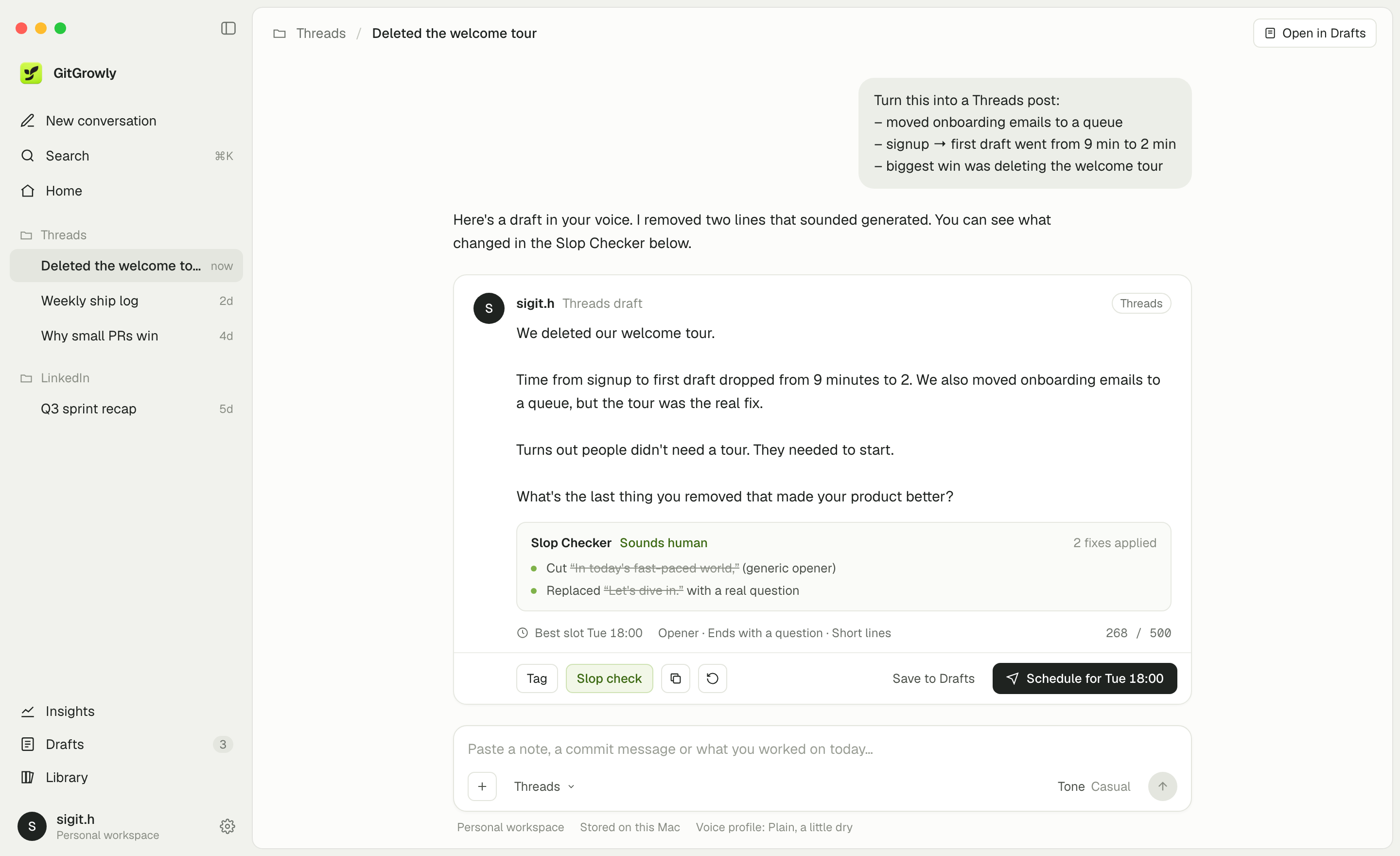
From a messy note to a post you'd sign. In under a minute.
Everything between the note and the post.
One native app for drafting, checking, planning and learning what works. No browser tabs, no copy-paste between five tools.
Slop Checker
Flags clichés, stiff phrasing and empty closings, explains why, and suggests a rewrite in your voice. You decide what stays.
Voice profile
Every draft follows your tone and your never-say list, so it reads like you, not like a chatbot.
Keyboard-first
⌘K finds any conversation. ⌘\ hides the sidebar, Return sends.
Scheduling
Plan the week on one calendar. Nothing goes live without your approval.
Insights
See which posts got replies and when your audience is around.
Your notes stay yours.
GitGrowly is local-first. Here's exactly what leaves your Mac, and what never does.
A chatbot writes posts. GitGrowly writes yours.
 GitGrowly
General AI chat
Post schedulers
GitGrowly
General AI chat
Post schedulers
One plan. Every feature.
Try it free for 7 days. No credit card to start.
Before you download.
Can't find it here? Email support@gitgrowly.com and you'll hear back within one business day.
Yes. After the 7-day free trial it's $6 per month or $49 per year. Cancel anytime from the link in your receipt email; you keep access until the end of the period you paid for.
Yes. If GitGrowly isn't right for you, email support@gitgrowly.com within 14 days of your first payment for a full refund.
No. GitGrowly is sold directly through this site, with checkout handled by Lemon Squeezy. The app is signed and notarized by Apple.
Download the app from this site, open it and start your trial. After you subscribe, Lemon Squeezy emails you a license key. Paste it into Settings → License. One license works on 2 Macs.
No. You can draft and copy posts without connecting anything. Connecting Threads adds scheduling and Insights.
Threads: drafting, scheduling and Insights. LinkedIn: copy-ready drafts you paste yourself. X is coming soon.
Only the note you're turning into a post, any source you attach and your never-say list, sent to OpenAI when you ask for a draft. We don't store your prompts or drafts on our servers, and API data isn't used to train models.
Drafts are unlimited for normal personal use. We may contact accounts with automated or unusually heavy usage. Drafting needs an internet connection; reading and editing saved drafts works offline.